
 Solair Pulse
Activity Monitor, reinvented.
See what every app costs your Mac, and get space, battery and speed back.
Pay once, own it forever.

SimulatedA working model with invented figures. Switch tabs, sort, open a row.
For AI coding agents
Your agents, and what they cost.
Claude Code and Codex sessions with what they start, a note when one waits for you, limits paced, cost by project.
- claude901124.6%
- zsh901200.3%
- node (vitest)9041819.3%
- node (vite)903779.2%
- esbuild904202.5%
Codex will reach its weekly limit around Thu 14:00 at this pace
Fix it
Fixes that ask first.
Each one says what it will change, and files only ever go to the Trash.
Clean Up, with proof.
Before a render bundle is selected, Pulse checks every copied file is still in your project.
- Reclaimable
- 115.0 GB239 items
- Free after
- 0
- Battery Saver ≈ +40 min
- Dim the screen to 50 %≈ 1.8 W
- Keyboard light off≈ 140 mW
- Pause apps in the background≈ 360 mW
- Pulse checks less often≈ 186 mW
Battery Saver
One switch for the checklist; off again when you plug in.
- ClipSync helperApp removedAt loginupdater-agentUnknown & unsignedEvery 15 minGoogle UpdaterInstalled appEvery hour
Startup items
What runs at login, with a verdict; your own agents disabled with Undo.
- Lumen Sketch39.0 MBApp30.4 MBCaches and saved state8.5 MBSettings96 KBYour data in this appNot selectedMove 9 Items to Trash
Uninstall
An app with its caches, settings and startup items, to the Trash.
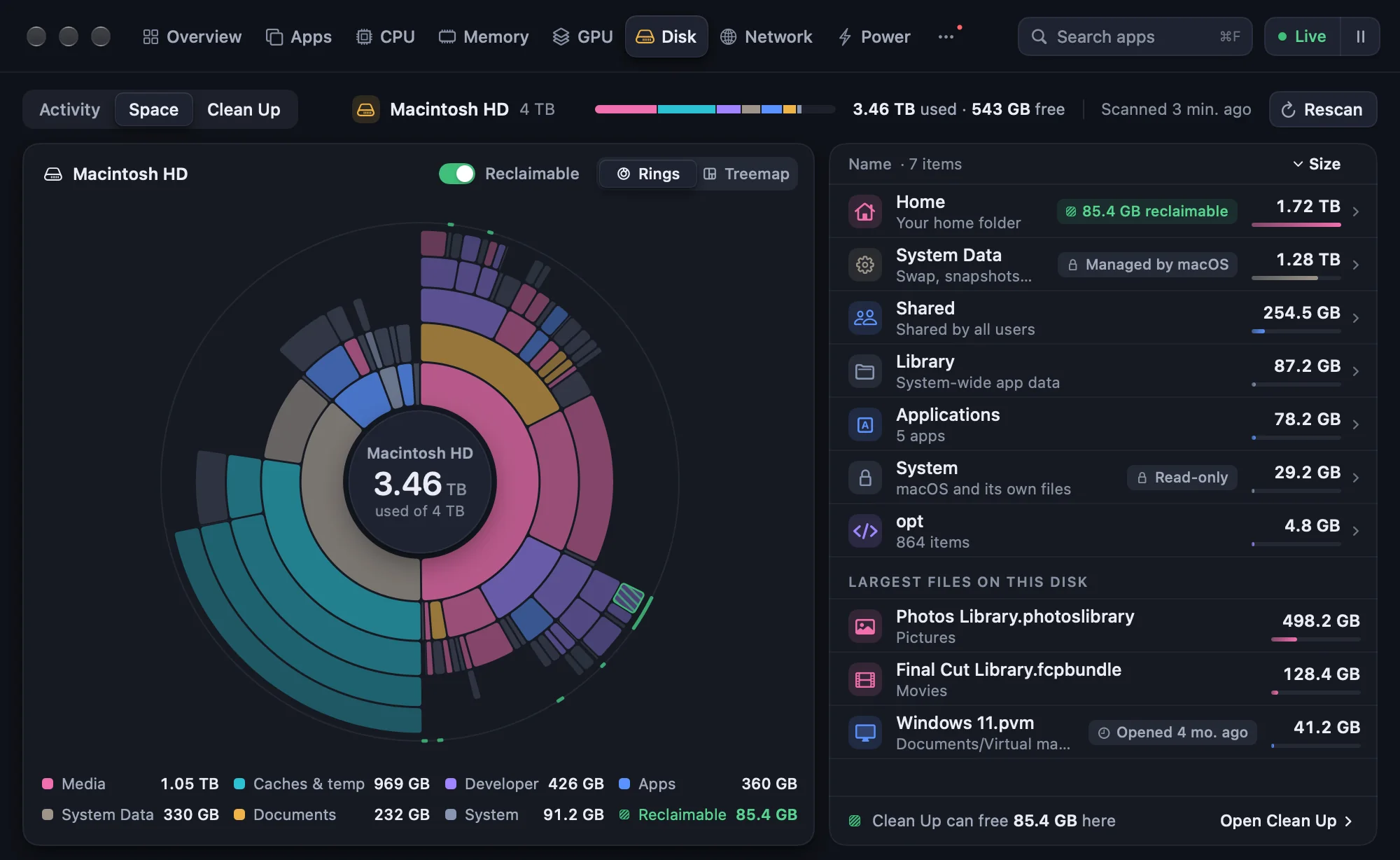
Disk map
Rings or a treemap; System Data explained; what’s safe to free, marked.
Sample data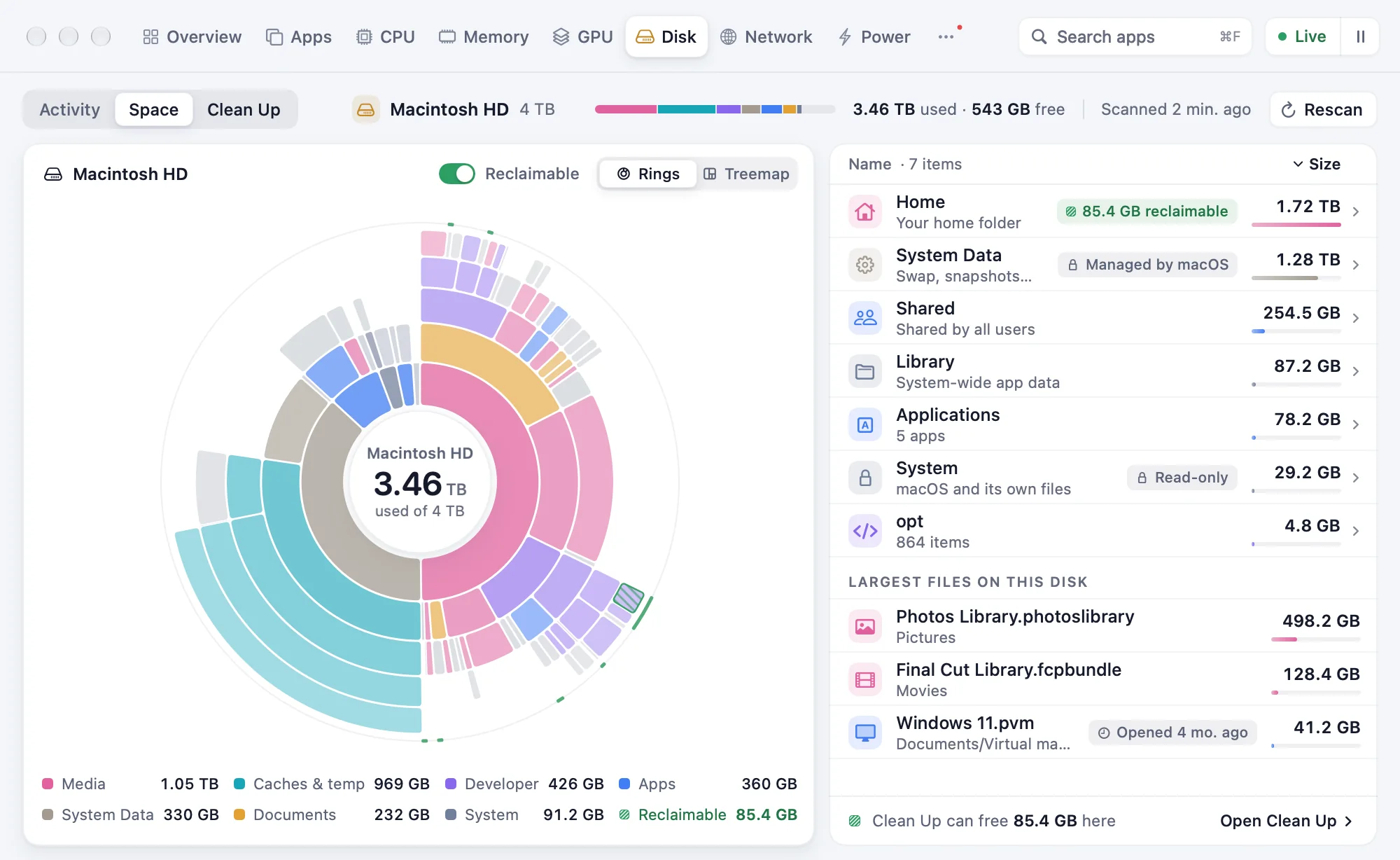
Explain it
Every process, in plain words.
What it is, what started it, and whether stopping it is safe.
nodeLeft running
Runs JavaScript with Node.js. Its terminal closed 3 hours ago.
Safe to stop
mds_stores
Builds the search index so Spotlight can find your files.
System process — don’t stop it
Brave Browser Helper (Renderer)
Draws some of Brave Browser’s tabs.
Part of Brave Browser — quit the app instead
Process verdicts
From where it lives, its parent, its signature and its manual page.
- Display4.3 W312 nits
- Apps1.2 W
- Graphics1.1 W
- USB-C devices2.4 W1 device
- Keyboard light≈ 140 mW
- Everything else6.6 W
What’s draining
Measured where the Mac has a backlight sensor; marked ≈ where it’s estimated.
Apps, with their trends.
Helpers add up under their app; a chip says what’s growing, spiking or idle.
- Brave Browser22 processes↑ growing3.4 GB
- Claude33 processesspiking2.7 GB
- Code41 processes2.1 GB
- Docker9 processes1.6 GB
- Simulator18 processes1.4 GB
- Xcode6 processes980 MB
- nodeidle 3 d620 MB
- Slack7 processesnew610 MB
- Terminal9 processes410 MB
Monitoring
Every reading, where you want it.
Also fan control, a charge limit where your Mac allows it, volume per app, alerts, VoiceOver and 11 languages.
- Overview tiles
- Every core
- Widgets
- Menu bar
- ⌘K palette
- xbar & SwiftBar plugins
Menu bar
Your Mac, at a glance in the menu bar.
Each reading in a style of its own, in colour or Monochrome, at a width that never jumps. Right-click any card to add it.




Only in Pulse
Things you won’t find elsewhere.
- Render bundles checked file by file against your project before they’re offered.
- “Waiting for you” notifications for Claude Code and Codex sessions.
- When each agent limit will run out at your current pace.
- Startup items with a verdict, including what removed apps left behind.
- A verdict on every process: safe to stop, or part of macOS.
- A Battery Saver that undoes itself when you plug in.
Privacy
Your data stays on your Mac.
No account and no analytics; this is everything that can use the network. Privacy policy
- Update checksSettings › UpdatesOff
- Speed testNetwork › Run TestWhen you press it
- Public IPA menu bar item you turn onOff
- Phone alertsSettings › IntegrationsOff
- Licence checkWith Lemon Squeezy, weeklyAfter you buy
Pricing
$9, once.
One payment for every feature. No subscription and no account.
- Every feature
- No subscription
- No account
Solair Pulse
Version 1.3.0
$9once
One licence
Checkout opens at launch.
Pay once, own it forever.
Questions
Questions, answered.
Will it slow my Mac down?
No. Pulse samples less when its window is closed, runs at background priority, and charts don’t animate between samples.
Which Macs does it run on?
macOS 14.2 or later, on Apple silicon and Intel. Fan control and the charge limit depend on what your Mac allows.
Does it read my prompts or code?
No. From the agents’ logs it reads token counts, models, times and folders; messages and code are skipped unread.
Does it send anything anywhere?
Not unless you turn something on. There is no analytics or crash reporting; the list is under Privacy above.
Can it quit apps or delete files by itself?
Never. Every quit, disable and clean-up asks first, and files only ever go to the Trash.
Is it a subscription?
No: $9 once, and it’s yours. The licence keeps working offline for up to 30 days between checks.